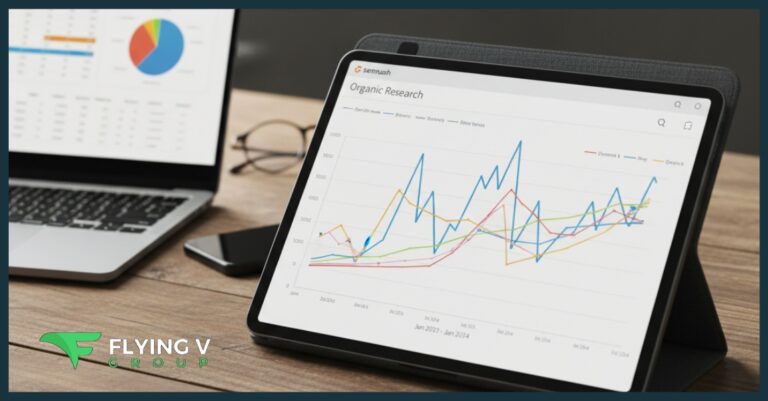

A competitor’s “estimated traffic” number in Semrush isn’t a leaked analytics report. It’s a modeled figure built from a sample of real browsing behavior, and treating it as gospel leads to bad strategy decisions.
Flying V Group uses Semrush alongside first-party SEO data to build strategies grounded in more than one estimate. Contact us to talk through how we combine these tools for your business.
“Semrush Traffic” Isn’t One Metric
People talk about “Semrush traffic” as if it’s a single, consistent number. It isn’t, and that’s the source of most confusion around this tool.
Semrush’s own documentation explains that Traffic Analytics and Domain Analytics use different methodologies entirely. Traffic Analytics estimates come from clickstream data, while Domain Analytics estimates are derived from keyword rankings and their estimated traffic potential. Two numbers inside the same platform can legitimately disagree with each other.
How Semrush Builds Its Traffic Estimates
Semrush isn’t reading a competitor’s private Google Analytics account. Semrush’s methodology page describes receiving terabytes of clickstream data every one to two days from third-party providers, representing aggregated, anonymized browsing behavior from millions of real users.
That raw data goes through four stages: collection, cleaning, modeling, and delivery. A supervised learning model takes the observed sample and statistically projects broader site-level traffic from it, which is a fundamentally different process than reading a site’s own server logs.
Estimated Doesn’t Mean Invented
The word “estimated” sometimes gets read as “made up.” That’s not accurate. Modeled traffic uses a real, observed sample to project wider activity, the same statistical approach used across market research and polling.
The distinction that matters is between observed first-party data, which your own analytics records directly, and modeled third-party data, which infers a wider pattern from a smaller, real sample.
Why the Model Changes, and What That Means for Historical Comparisons
Semrush updates its underlying methodology periodically, and those updates can shift historical numbers even when nothing changed on the actual website. Semrush states that a newer AI-driven model increased granularity and stability, and that an updated processing approach expanded overall traffic-data coverage by 20%.
That means a sudden jump or drop in a competitor’s estimated traffic doesn’t automatically mean their real-world traffic changed by that amount. Before reporting a dramatic shift to a client, check whether the change lines up with other signals like keyword rankings or published content, rather than treating the raw number as confirmed fact.
Semrush vs. Search Console vs. GA4
Each of these tools answers a different question, and conflating them causes most of the “why don’t these numbers match” confusion.
| Tool | Best Question It Answers |
| Semrush Traffic Analytics | How large does a competitor’s overall traffic footprint appear? |
| Semrush Organic/Domain data | How much organic visibility might current rankings generate? |
| Google Search Console | What happened to my actual Google Search clicks and impressions? |
| GA4 | What did visitors do after they reached my site, across every channel? |
Google Search Console reports clicks, impressions, click-through rate, and average position directly from Google’s own records of your property, broken down by query, page, country, and device. That’s the closest thing to ground truth for your own site’s Google Search performance, though Google notes its own reporting has limitations around privacy filtering, aggregation, and processing delays.
Why Semrush Traffic Won’t Match Your GA4 Numbers
This mismatch trips up a lot of people new to competitive research. GA4 records activity through the analytics implementation installed on a site you control. Semrush Traffic Analytics estimates traffic to any site, including ones you have no access to, using clickstream sampling and modeling instead.
GA4’s Traffic Acquisition report tracks sessions, engagement rate, key events, and revenue by channel for your own property specifically. A gap between what Semrush estimates for your site and what GA4 recorded doesn’t mean either tool is broken. They’re measuring different things through different mechanisms.
What Estimated Traffic Is Good For
Semrush itself recommends Traffic Analytics primarily for benchmarking one website against another, not for pinpointing an exact visitor count. That’s the honest use case, and it’s still a genuinely useful one.
Use it to spot magnitude differences between competitors, identify who appears to be gaining or losing ground over time, and see which channels a competitor seems to lean on most heavily. Before comparing any two numbers, check that country, device, and date range settings match. Comparing U.S. desktop traffic for one site against worldwide, all-device traffic for another isn’t a fair comparison.
Estimated Traffic Now Includes AI Referral Sources
Traffic Analytics doesn’t only break estimates down into direct, organic, paid, social, and referral. It now separates out visits arriving from AI platforms like ChatGPT and Perplexity as their own category, reflecting how much discovery has shifted away from traditional search results pages.
That distinction matters when comparing yourself against a competitor. A site with a large estimated traffic number that’s mostly AI referral and direct visits isn’t necessarily winning on organic search rankings, even if its total footprint looks bigger than yours. Break the estimate down by channel before assuming a competitor’s overall size reflects SEO strength specifically.
This also means a shrinking organic search channel alongside a growing AI referral channel isn’t automatically bad news. It can simply mean discovery is happening through a different route, which is worth factoring into how you interpret both your own numbers and a competitor’s.
What Not to Do With Estimated Traffic
Don’t report a Semrush number as if it were an audited visitor count, and don’t tell a client a competitor “lost 27% of its customers” based on an estimated traffic dip. Traffic isn’t customers, and a modeled estimate isn’t a confirmed fact.
Don’t assume a competitor with five times your estimated traffic has SEO that’s five times better, either. That traffic could be split across direct visits, paid campaigns, social referrals, or brand searches that have nothing to do with organic content strategy. Break the number down by channel before drawing any conclusion from it.
A Workflow for Turning Estimates Into SEO Strategy
The estimate itself isn’t the strategy. It’s the starting signal that tells you where to look closer. A useful process moves from the broad number down to a specific, validated opportunity.
Start by identifying the gap between your estimated traffic and a competitor’s. Check whether that gap is driven by organic search or by another channel entirely, since a paid-heavy competitor isn’t an SEO threat in the way the raw number suggests. From there, look at which pages, topics, and keywords account for the difference, and separate relevant commercial opportunity from traffic you wouldn’t want anyway, like branded searches or unrelated support content.
Finally, validate everything against your own Search Console and GA4 data before committing resources. Semrush’s Organic Traffic Insights tool combines Semrush’s keyword database with your own GA4 and Search Console data in one view, connecting page-level traffic changes to specific queries, including ones Google doesn’t report directly. That turns a competitive estimate into an actual, defensible content decision.
Ready to Build SEO Strategy on More Than One Data Source?
Semrush estimates tell you where to investigate. Your own Search Console and GA4 data tell you whether the opportunity is real. Flying V Group combines both when building content marketing strategy for clients. Get in touch to talk through how we’d approach your competitive landscape.
Frequently Asked Questions
How does Semrush estimate traffic for websites it doesn’t have analytics access to?
Semrush uses clickstream data collected from third-party providers, representing aggregated, anonymized browsing behavior from real internet users. A machine learning model processes that sample and statistically projects broader site-level traffic from it, rather than pulling numbers directly from a competitor’s analytics account.
Why doesn’t Semrush’s traffic estimate match my GA4 numbers?
GA4 records activity directly through the analytics code installed on your site, while Semrush Traffic Analytics models an estimate for any site using sampled clickstream data. These are fundamentally different measurement methods, so a mismatch between the two doesn’t mean either tool is inaccurate.
How accurate is Semrush’s estimated traffic?
Accuracy varies by site size, geography, device, and which Semrush report is being used, since Traffic Analytics and Domain Analytics rely on different methodologies. Rather than treating either number as a precise count, use it as competitive intelligence for benchmarking and trend spotting, not as a substitute for a site’s own first-party analytics.
Can Semrush estimated traffic identify seasonal trends?
Yes, tracking a competitor’s estimated traffic over several months can reveal seasonal patterns worth planning around, particularly when the trend lines up with other signals like keyword ranking changes. A single month’s estimate is far less reliable than watching the trend over a longer period.
Should I compare estimated traffic across different countries or devices?
Only if the filters match on both sides of the comparison, since Semrush’s estimates change based on device selection, regional database, and date range. Comparing desktop-only U.S. traffic for one site against worldwide, all-device traffic for another will produce a misleading picture.
Is a sudden drop in a competitor’s estimated traffic a reliable signal?
Not on its own, since Semrush periodically updates its underlying modeling and data processing, which can shift historical estimates even when nothing changed on the actual website. Cross-check any dramatic change against other signals, like ranking movement or new published content, before treating it as confirmed.
What’s the best way to combine Semrush with Google Search Console and GA4?
Use Semrush to identify where a competitive gap or opportunity might exist, then validate it against your own Search Console clicks and GA4 sessions before acting on it. Semrush’s Organic Traffic Insights tool can combine all three data sources in one view, connecting page-level traffic to specific search queries for a more complete picture.