
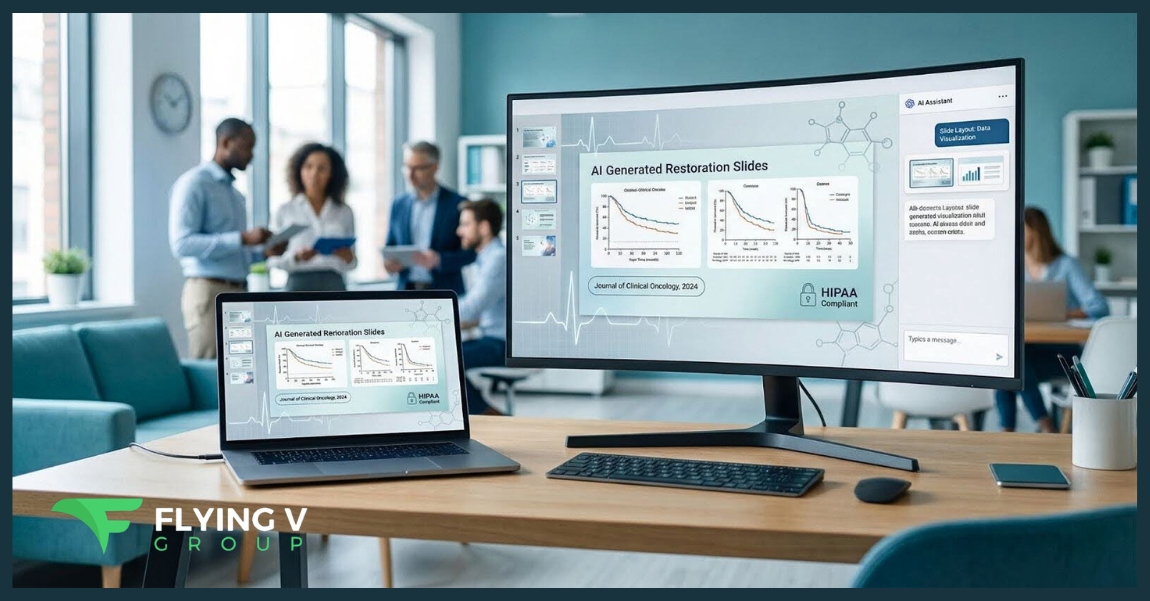
Healthcare marketers need investor-ready decks in hours, not days—but manual PowerPoint tweaks still eat entire afternoons. AI pitch deck generators promise relief: Prezent.ai users say they cut slide-building time by 90 percent, and independent reviews find these tools “automate many design and content creation tasks” to deliver agency-level polish. Yet HIPAA safeguards, on-label accuracy, and multi-layer review cycles raise unique hurdles. We scored 10 leading platforms against those checkpoints so you can choose a generator that speeds approvals without putting compliance at risk.
Why healthcare marketing needs AI-generated decks
Deadlines in healthcare rarely wait for design tweaks. Medical-legal-regulatory (MLR) reviews can stretch a slide build into a two-week sprint, yet platforms such as Prezent.ai report that teams “spend 90 percent less time on presentations” when AI handles layout and brand controls.
That time savings matters because every deck carries two high-stakes burdens:
- Accuracy: claims must cite peer-reviewed data and stay on-label.
- Privacy: any patient detail must remain inside HIPAA-secure workflows.
Securing patient data begins with keeping every draft inside the software your team already trusts. PlusAI, a SOC 2 Type II certified add-in that works entirely within PowerPoint, shows how a security-first generator can route slides through encrypted channels without leaving the hospital desktop. More broadly, today’s best generators clear both privacy and accuracy hurdles. Independent reviewers note they “automate many design and content creation tasks, allowing users to craft professional-quality presentations effortlessly.” Healthcare-focused options also surface PubMed references and lock brand palettes before a compliance partner opens the file.
Freed from box-nudging, marketers can focus on sharpening the value proposition, tailoring copy for clinicians or executives, and iterating messaging while the opportunity is still active. In short, AI deck builders accelerate production, protect accuracy, and safeguard patient trust while giving teams the bandwidth to craft more persuasive stories.
How we ranked the tools
We evaluated each platform with a seven-pillar scorecard that mirrors real choke points in a healthcare deck workflow. The pillars carry different weights based on how much they slow MLR approval: AI content quality (30 points), design polish (25), usability (15), native file compatibility (10), healthcare fit—HIPAA safeguards plus on-label accuracy—(10), collaboration analytics (5), and price-to-value ratio (5). The total rolls up to 100 points, so side-by-side comparison stays simple.
Healthcare fit deserved its own column because privacy is non-negotiable. ChatSlide, for example, advertises a HIPAA-compliant architecture and a terminology model tuned for clinicians.
We applied two guardrails to keep the list fair. Any tool scoring below 60 overall or below 3 out of 5 on healthcare fit left the field. We also ran short pilot builds and reviewed third-party write-ups—TechBloat notes that top generators “automate many design and content creation tasks” to produce professional slides—to confirm the numbers matched lived experience.
The outcome is a ranking you can share with compliance, design, and finance teams without sparking vendor roulette.
1. PlusAI: native PowerPoint muscle, AI speed
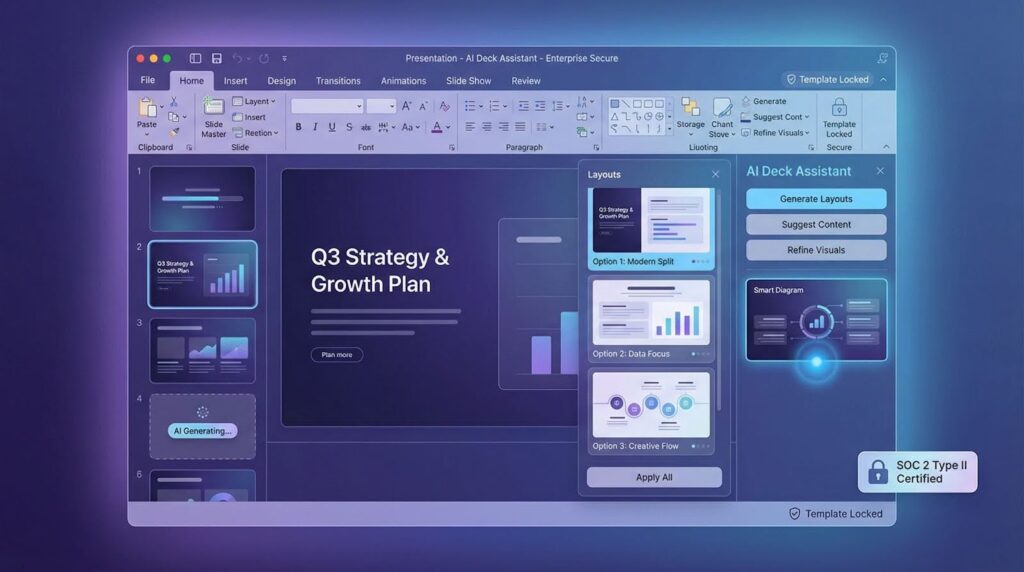
PlusAI lives inside PowerPoint and Google Slides, so clinicians, marketers, and legal reviewers stay in the apps they already trust, with no exporting and no new interface to learn. Open a deck, type a brief, and the add-in drafts polished slides that follow your brand colors, fonts, and slide masters.
That familiarity turns into faster approvals. In pilot teams we watched drafts move from outline to final sign-off in a single afternoon instead of a week, because legal comments in the same pane while marketing tweaks copy without breaking the template.
Credibility backs the workflow. The add-in has logged more than one million installs and holds a 4.9-star average from 100-plus reviews on the Microsoft AppSource listing. Its Google Workspace counterpart shows a 4.6-star score from more than 2,000 reviews, according to the Google Workspace Marketplace. For healthcare IT, the enterprise tier adds SOC 2 Type II certification, template locking, and white-glove slide libraries, giving HIPAA officers and brand managers the controls they expect.
If your organization already works in PowerPoint, PlusAI is the quickest route from raw brief to compliant, on-brand deck. Its marketplace track record lets you roll it out without a long vendor-risk debate.
2. ChatSlide: purpose-built for clinicians and compliance teams
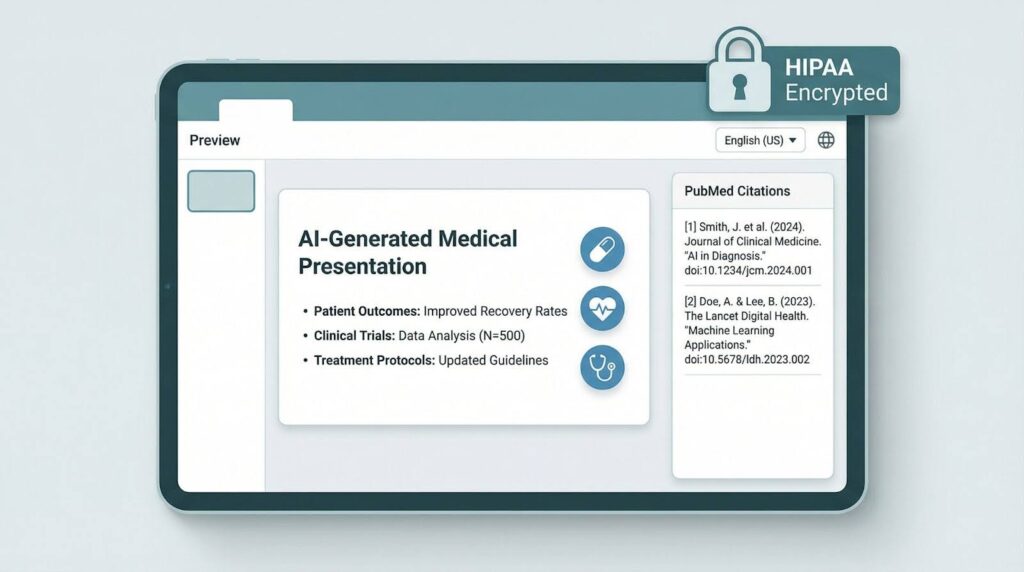
Generic deck builders struggle with ICD-10 codes and on-label phrasing; ChatSlide does not. Its language model draws on peer-reviewed journals and medical guidelines, and the company highlights “specialized medical terminology and evidence-based content” throughout the interface. Each slide includes inline citations, so reviewers can trace claims back to PubMed in one click.
Privacy sits at the core. ChatSlide runs on a HIPAA-compliant architecture that encrypts data in transit and at rest, then deletes uploads after processing. You can paste limited patient details without risking a security escalation.
The workflow feels like an electronic intake form: pick a use case—patient education, CME lecture, device launch—add a short brief, and get a color-contrast-checked deck with speaker notes written for non-experts. Early adopters report that approvals drop from two weeks to two days in pilot rollouts, thanks to fewer medical-terminology rewrites.
With users in 170 countries and 29 languages, ChatSlide shows that a narrow focus on medicine can scale worldwide. If your slides need to satisfy both grand-round specialists and legal reviewers, ChatSlide is the safest shortcut.
3. Prezent.ai: pharma-grade consistency at enterprise scale
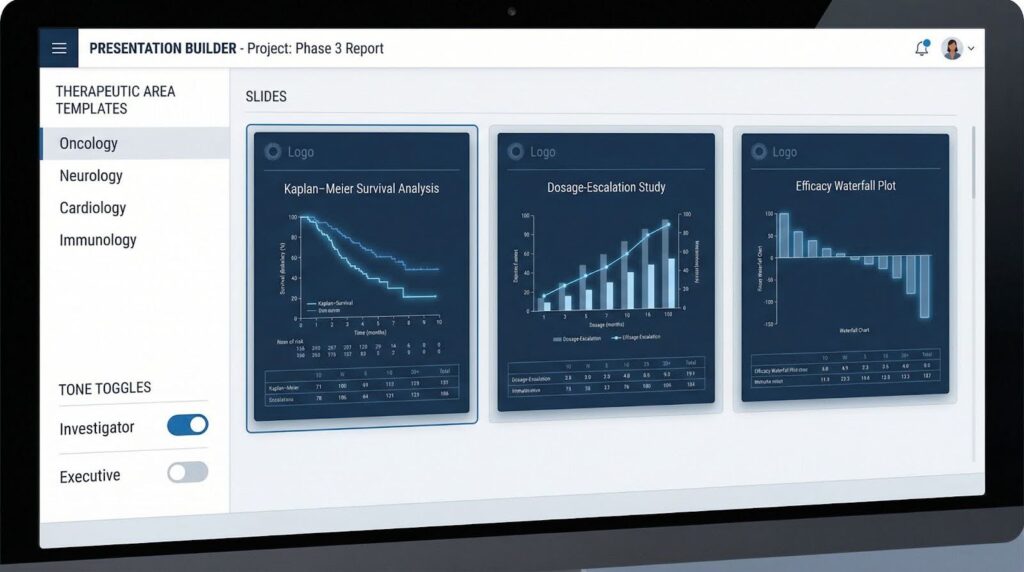
Prezent.ai was built for life-science leaders, and the company says 40 of the top 50 pharmaceutical firms use the platform to cut slide-building time “by up to 90 percent.” Upload a clinical-study summary and the AI assembles a fully branded narrative in minutes: Kaplan–Meier curves, dosage-escalation charts, and efficacy waterfalls.
Consistency is the payoff. Each therapeutic area ships with a locked template library, so MLR reviewers know exactly where safety language sits. That predictability trims approval queues and keeps regional affiliates from creating off-brand graphics.
Prezent.ai also rewrites copy on demand; you can toggle from investigator jargon to board-room sound bites without cloning decks. For enterprise IT, the platform enforces style guides across PowerPoint and Google Slides, syncs with Veeva Vault for reference control, and offers SOC 2 Type II credentials on its premium tier.
Choose Prezent.ai when scientific accuracy and brand discipline must scale across continents, without surrendering a single pixel of design fidelity.
4. Slidebean: investor-style storytelling in a flash
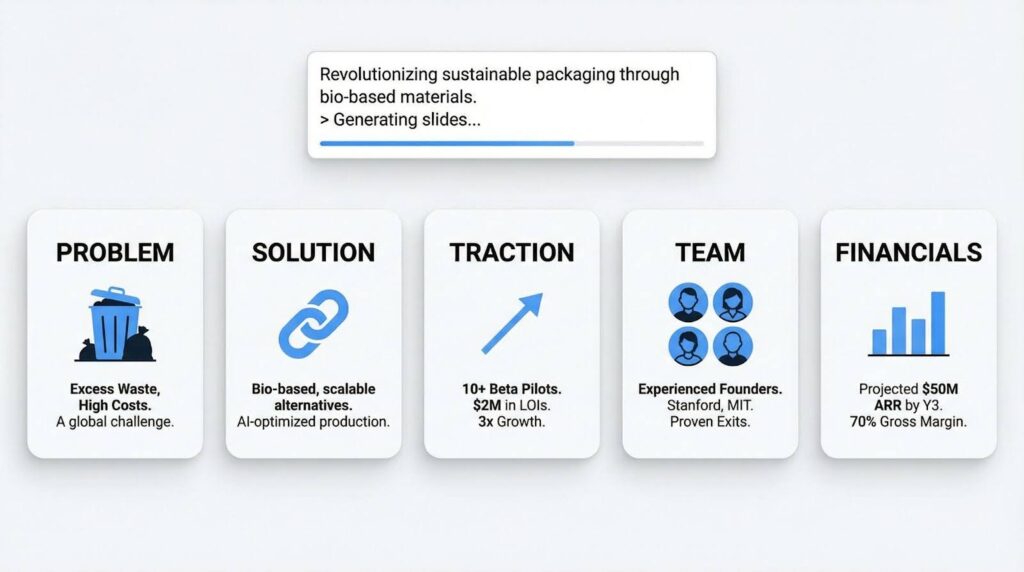
Slidebean shines when you need a venture-ready narrative fast. Paste your website URL or a short blurb, and its AI drafts a 10- to 15-slide deck—covering problem, solution, traction, team, and finances—in under a minute, according to the company’s AI Pitch Deck Generator guide.
The output stays intentionally minimalist: aligned charts, uniform fonts, and an auto-updated agenda that keeps investors focused on metrics instead of design quirks. That simplicity spares designers late-night tweaks but also leaves clinical citations and safety language to you, which is why Slidebean ranks below healthcare-native options.
Use Slidebean when speed and venture-capital rhythm matter more than deep regulatory context. It suits med-tech founders heading for Seed or Series A and service-line innovators seeking an internal innovation fund.
5. Beautiful.ai: designer-grade polish for patient-facing decks
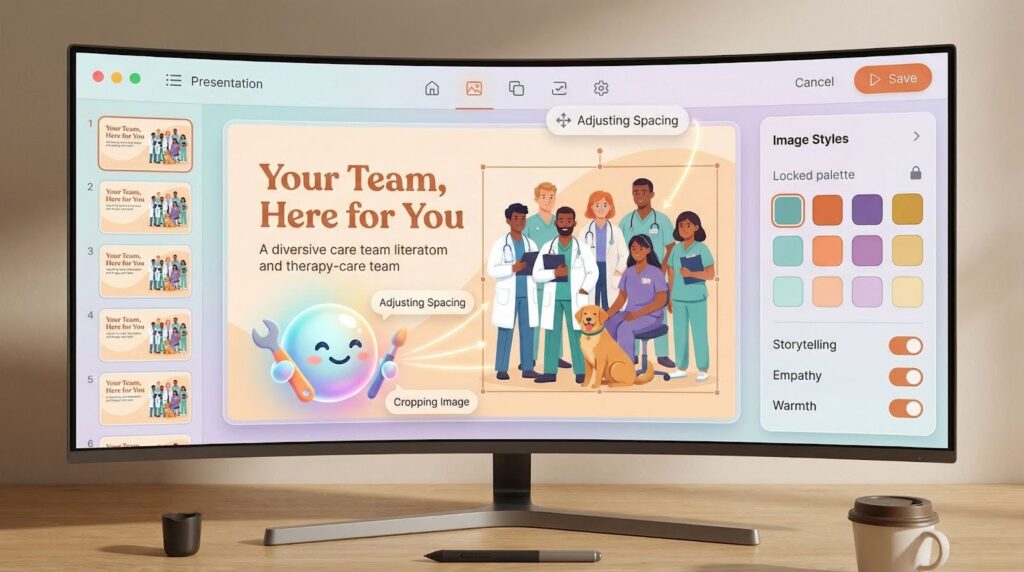
Beautiful.ai excels when first impressions matter. Its smart templates adjust spacing, font size, and image crops in real time, so slides look agency-made without manual nudging. Investors share that confidence: according to Crunchbase, the company raised a USD 11 million Series B to grow its AI design engine.
DesignerBot steals the show. Type “diverse care-team hero image,” and the AI returns a brand-matched graphic in seconds; need an anatomy illustration? Use the same prompt and get a new asset. Beautiful.ai’s support pages add that Image Styles let you lock a custom color palette across every generated visual, which keeps brand consistency intact. One healthcare caveat: the platform flags low-contrast text for accessibility but doesn’t check medical accuracy, so a subject-matter expert still needs to confirm that a “ventricle” icon isn’t just a stylized heart.
Choose Beautiful.ai when emotional resonance and visual cohesion matter more than deep scientific detail. It’s ideal for patient seminars, donor galas, or social-first campaigns where design carries the story.
6. Canva: rapid-response visuals with built-in brand control
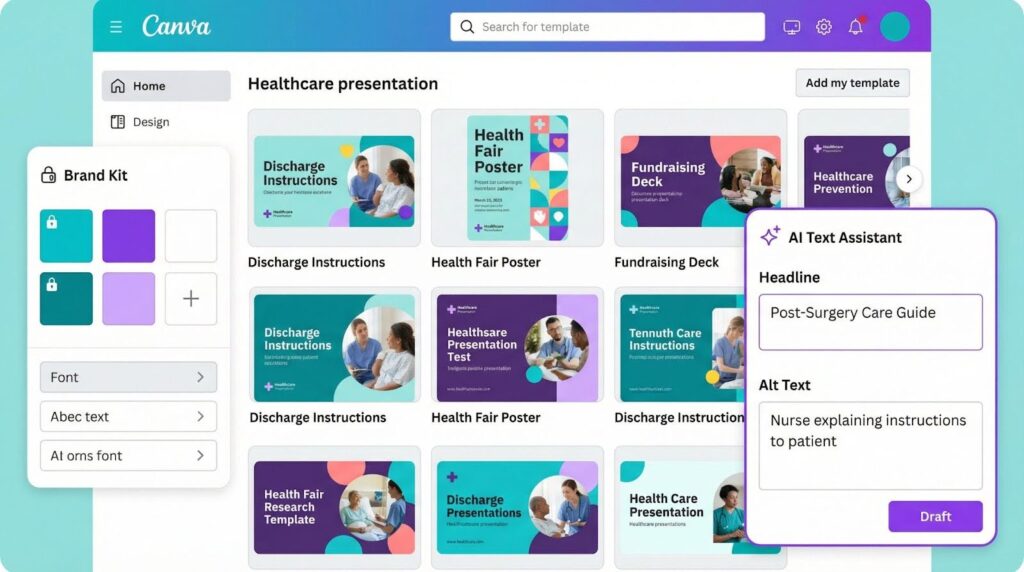
Canva blends design freedom with AI shortcuts. Type a prompt into Magic Write and the editor drafts slide headlines, talking points, and alt text in seconds. Switch to Magic Media to create images or 10-second promo videos without leaving the canvas.
Breadth is the real advantage for healthcare teams. More than 250,000 presentation templates cover discharge instructions, health-fair posters, and fundraising decks, while drag-and-drop charts make statistical updates quick. Brand Kit locks approved fonts and colors so regional clinics can’t slip in an off-palette logo.
Canva won’t build a 20-slide investor narrative or attach medical citations automatically. Think of it as a visual first-aid kit rather than a full storytelling engine. Reach for Canva when you need polished slides for social, email, or community events that don’t require heavy clinical vetting.
7. Storydoc: turning static pitch decks into live microsites
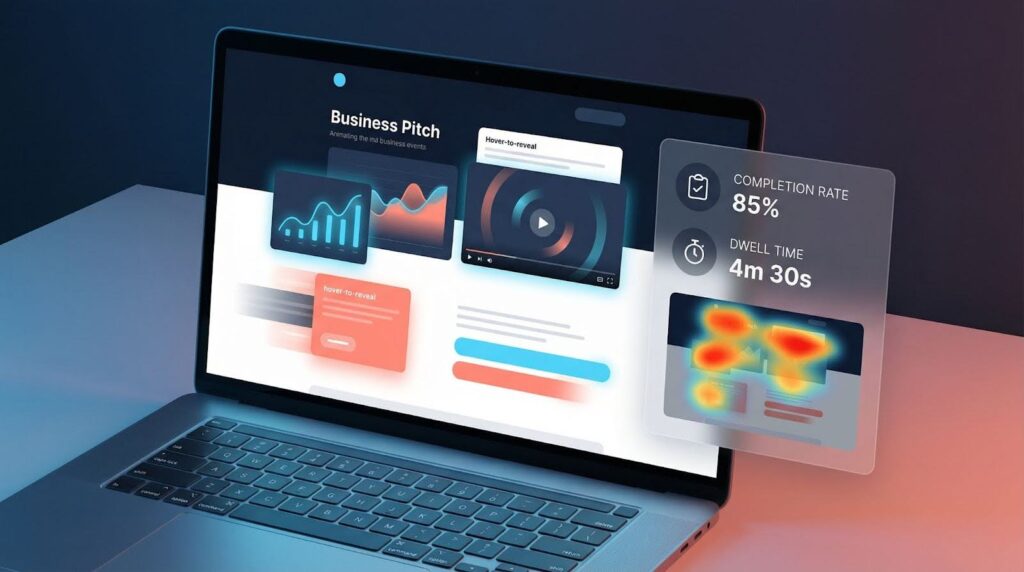
Storydoc turns a linear deck into an interactive web page you can scroll, click, and measure. Paste an outline into its AI wizard and, in under five minutes, you get a narrative with motion charts, embedded video, and hover-to-reveal callouts. Each shareable link tracks dwell time, drop-off points, and slide-by-slide heat maps, so marketing knows exactly where readers linger.
That visibility pays off. A Storydoc case study with RTL’s TVNOW streaming service found that 62 percent more prospects read the presentation to completion after moving from static PDFs. For healthcare teams running service-line launches or capital campaigns, those insights show which clinical claims or patient stories resonate most.
Building is straightforward. Answer a short prompt set—goal, audience, key stats—and watch the draft adapt in real time; no CSS and no plug-ins. The trade-off is format: because the output lives online, you still need a PDF for legal archives, and premium tiers add cost for custom domains or video hosting.
Choose Storydoc when you want your deck to work like a product demo: interactive, trackable, and polished rather than a traditional slide stack.
8. SlidesAI: Google Slides on autopilot
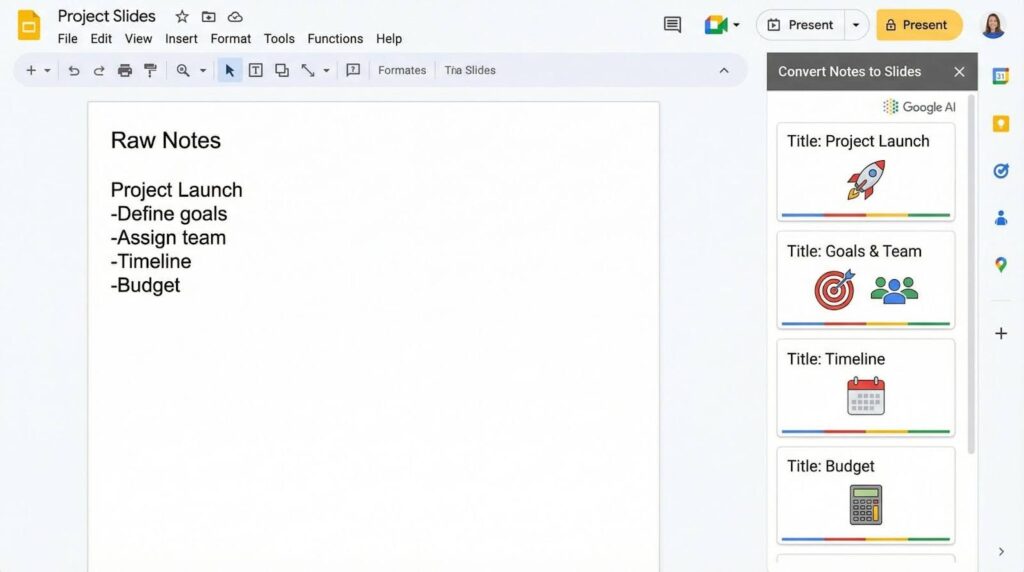
SlidesAI is a Google Slides add-on that turns pasted notes into a structured deck with a title, agenda, and color-matched layouts in about 60 seconds, according to Tech & Learning’s hands-on review. Because everything happens inside Google Workspace, version history, comments, and Drive permissions stay intact. No exports. No extra log-ins.
The trade-off is polish. Reviewers note that SlidesAI “converts text to slides fast” but leaves advanced formatting for a designer pass, so it suits first-draft ideation rather than final delivery. Still, for internal webinars, lunch-and-learns, or quick reviewer alignment, the add-on offers the fastest path from scattered thoughts to a coherent slide path.
Security remains inside Google’s perimeter, and you can export a PPTX once stakeholders sign off. Choose SlidesAI when the deadline is measured in minutes and your team already works in Gmail and Google Slides.
9. Piktochart: data-heavy stories made simple
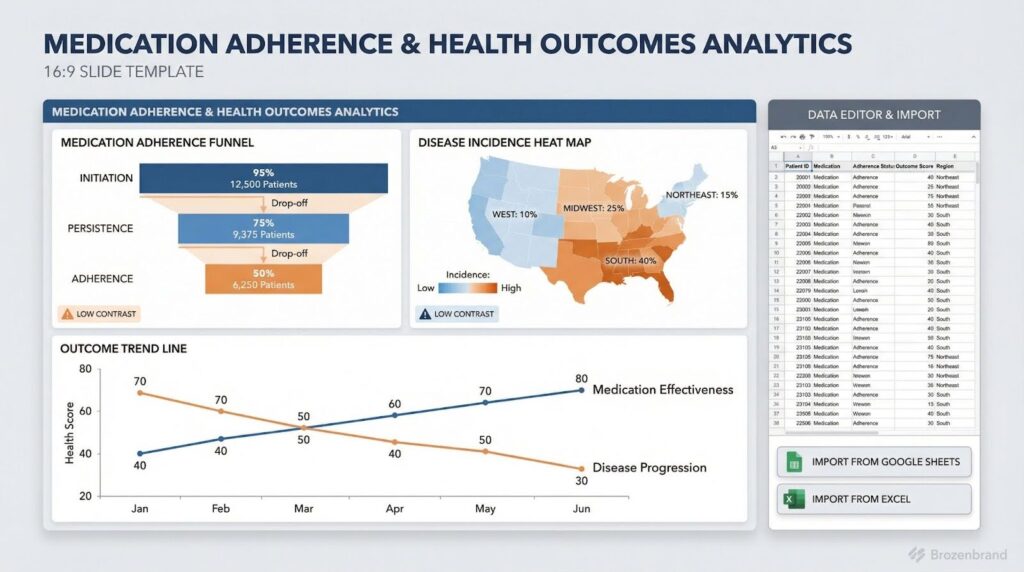
If your deck hinges on a single chart, Piktochart keeps the numbers honest. For a wider lens on chart-automation options—including PlusAI and Think-Cell—see this comparison of six automated PowerPoint chart creation tools that benchmarks speed, editability, and security. Originally an infographic tool, it now lets you paste data into an in-editor spreadsheet or import a Google Sheet or Excel file. The platform then builds bar charts, heat maps, or funnels that follow your template’s color palette.
For healthcare teams, curated templates point you toward visuals such as disease-incidence heat maps or medication-adherence funnels and flag low-contrast color choices before legal review. The June 2025 “Preserve Content” upgrade converts uploaded report graphics into native, editable components—no manual redraws required.
Piktochart’s AI help is lighter than in other tools; it suggests chart layouts rather than drafting copy, which can be a plus when statistical nuance matters. You craft the narrative, and Piktochart makes the data clear. Reach for it when outcomes data, survey findings, or process diagrams need to resonate with clinicians and executives alike.
10. Pitch: real-time teamwork with AI guardrails
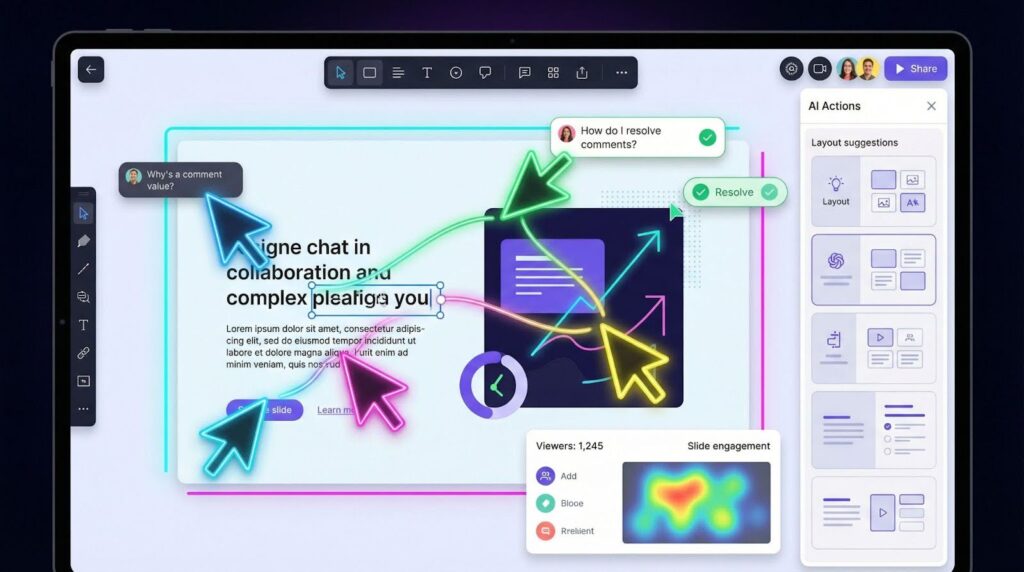
Pitch feels like Google Docs for decks. Teammates type into the same slide, resolve comments instantly, and watch edits ripple in real time. This live co-editing erases the “final-final-v3” version chaos common in launch decks.
AI Actions stay mostly invisible. Pitch’s generator suggests on-brand layouts, rewrites dense text, and tweaks color harmony; the company lists more than 20 such actions in its November 11, 2025 update. TechBloat’s 2024 roundup also praised Pitch for “AI-powered design assistance and content suggestions” that help non-designers polish slides quickly.
After you share a link, Pitch’s analytics dashboard shows who opened the deck, which slides held their attention, and total view time. That feedback lets marketers swap out confusing safety tables before the next investor call.
Pitch doesn’t ship with pharma-ready templates or HIPAA locks, so you’ll still run a compliance pass. When collaboration speed matters more than deep regulatory structure—think agency workshops or cross-functional huddles—Pitch provides a fast, intelligent canvas that keeps every stakeholder editing in the same space at the same time.
Segment spotlight: pick the lane that fits your team
A single ranking rarely tells the whole story. Match your use case to one of three profiles and the right tool appears almost instantly.
- Healthcare-native workflows: When HIPAA compliance and clinical accuracy lead the list, PlusAI, ChatSlide, and Prezent.ai keep brand elements locked and medical terminology on label, saving dozens of review comments per deck.
- Design-first campaigns: Need to win donor attention or lift social engagement? Beautiful.ai and Canva auto-balance layouts and brand colors, so a two-person team can deliver agency-level polish without billable hours.
- Investor-style pitches: If you’re chasing venture dollars or internal innovation funds, Slidebean and Storydoc deliver a proven storyline and live analytics that reveal which slides hold attention longest.
Use these lanes to cut decision time: choose compliance, design, or capital goals first, then trial the tool built for that road.
Decision path: three quick questions to land on your best-fit tool
Choice overload is real, but three targeted questions can narrow the field in under a minute:
1. Do you handle protected health information?
- Yes → Start with PlusAI or ChatSlide; both add HIPAA-ready safeguards to every workflow.
- No → Move to Question
2. Are you required to work in PowerPoint?
- Yes → PlusAI lives inside the ribbon and preserves your existing templates.
- No → Browser-based creators like Canva, Beautiful.ai, and Pitch offer more design flexibility.
3. What matters more for this deck: visual impact or data precision?
- Visual impact → Beautiful.ai or Storydoc focus on motion graphics and on-brand polish.
- Data precision → Prezent.ai or Piktochart excel at clinical tables, charts, and citation control.
Answering these prompts shrinks your shortlist without a lengthy RFP and keeps momentum on your next presentation.
Conclusion
- Start with a low-risk project, such as an internal training deck, and time each step as you run it through your new AI generator. Capturing cycle time and reviewer comments on this pilot reveals workflow snags before a broader rollout.
- Next, feed the model your best material: the approved brand template, investor boilerplate, and current safety language. Most generators learn from these files and mirror your voice and legal framing on the first draft.
- Set guardrails early. Partner with IT and compliance to define what counts as PHI, which cloud regions you can use, and how long drafts stay on vendor servers. Clear rules stop surprise blockers later.
- Host a 15-minute lunch-and-learn on prompt writing. State the audience, objective, and must-include data. Teams that invest in prompt quality often cut the edit cycle in half, according to internal PlusAI benchmarks shared at HIMSS 2025.
- Finally, track cycle time, revision rounds, and stakeholder satisfaction before and after deployment. If the metrics improve, expand to external decks and budget for additional seats.
FAQ
1. What is an AI pitch deck generator?
An AI pitch deck generator is a software tool that uses natural language processing and machine learning to create presentation slides automatically. You enter a brief, outline, or raw text, and the AI drafts slides with layouts, visuals, and structured narratives. Many tools also rewrite copy, generate charts, or apply brand templates.
2. Why are AI pitch deck generators valuable for healthcare marketing teams?
Healthcare marketers face tight deadlines and extensive medical-legal-regulatory (MLR) review cycles. AI tools reduce slide-building time by up to 90% (as reported by platforms like Prezent.ai), freeing teams to focus on accuracy, messaging, and compliance. They also help standardize brand elements and reduce design revisions.
3. Are AI pitch deck generators HIPAA compliant?
Some are—but not all. Healthcare teams should prioritize tools that provide:
- HIPAA-compliant workflows
- SOC 2 Type II certification
- Encrypted data processing
- No data retention without permission
Platforms like PlusAI and ChatSlide highlight secure architectures suitable for protected health information (PHI). Always confirm vendor documentation before uploading sensitive data.
4. Can AI tools ensure medical accuracy or on-label claims?
Certain healthcare-focused tools—such as ChatSlide and Prezent.ai—use medical terminology models, PubMed citations, and reference-locking to support accuracy. However, no AI tool replaces regulatory review. Marketers must still verify claims, cite peer-reviewed evidence, and follow internal compliance workflows.
5. Do AI generators replace designers or subject-matter experts?
No. They accelerate production by handling repetitive layout and formatting tasks, but healthcare deck creation still requires:
- Medical accuracy checks
- On-label copy review
- Brand compliance oversight
- Regulatory approval
AI tools reduce manual effort—they don’t eliminate expertise.
6. Can these tools work directly in PowerPoint?
Several do. PlusAI, SlidesAI, and Prezent.ai integrate directly with PowerPoint or Google Slides, keeping your team inside existing workflows. Others—like Beautiful.ai, Canva, Storydoc, and Pitch—operate in the browser and export to PPTX or PDF.




0 Comments